

Apps / Riff Reel
 Early accessWindows 0.1.0
Riff Reel
Your Guitar Pro tab and your own mix, turned into a tab video for Shorts and YouTube.
Import a Guitar Pro file and your own recording. Fix the tabs, sync them, pick one of 119 styles and export a ready-to-upload 9:16 or 16:9 video.
US$19
Early access. Windows 0.1.0.
Checkout opens the store in a new tab. This site does not take payment details.
Sold by Jonathan Lachance, trading as Cinderhall, Quebec City, Quebec, Canada.
WHAT IT DOES.
A tab video from your files
Riff Reel turns a Guitar Pro file and your own mix into a tab video, ready for YouTube Shorts, Reels, TikTok or a regular YouTube upload.
Frets from your Guitar Pro file are kept exactly as written. Notes without a fret get a playable fingering. Click any note to move it to another string (the pitch never changes), nudge its timing, add palm mutes, bends, slides, harmonics and more, or hide it from the video. Playability checks warn you about hard stretches but never block you.
Auto-sync listens to your mix and lines the tab up with it. If your recording drifts from the tab's tempo, pin a few notes and the tab follows.
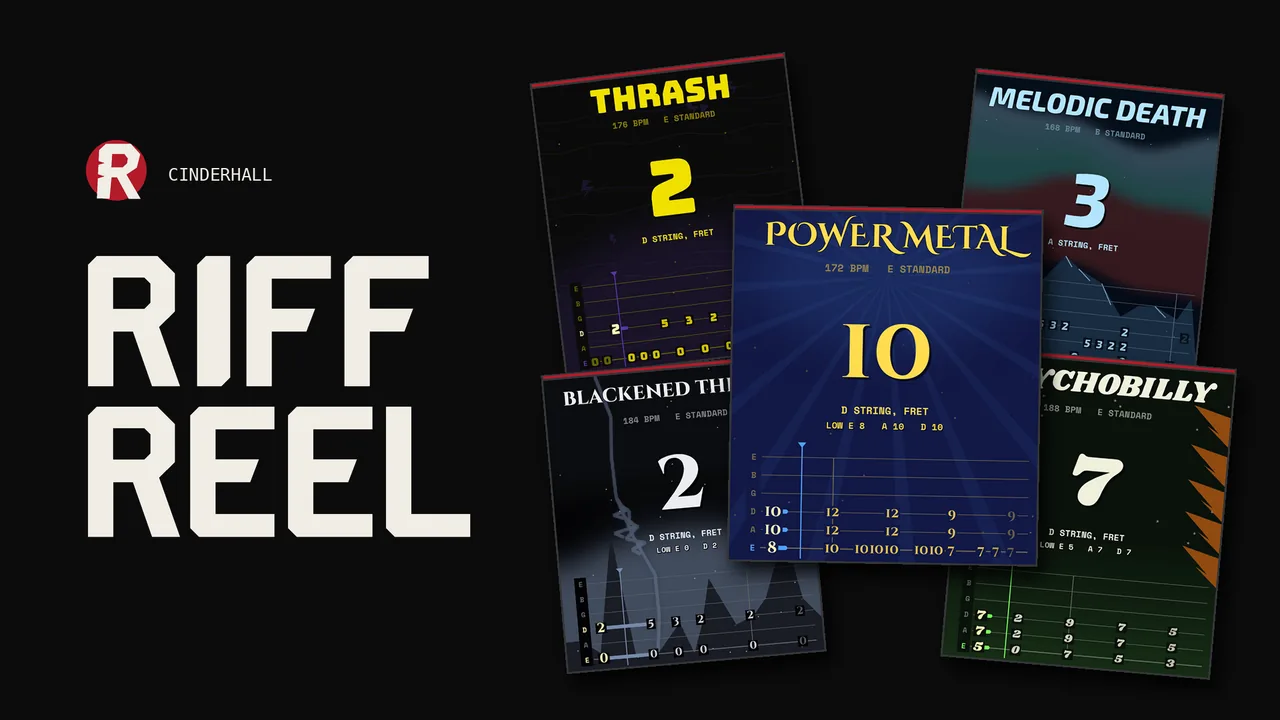
Pick a look from 119 styles, many with animated backgrounds. Swap the font of any style for any of 81 fonts, from clean to unreadable black metal (your call).
9:16 at 1080 x 1920 for Shorts, or 16:9 at 1920 x 1080 for YouTube. Each format has its own layout. The wide video is not a stretched phone video.
60 fps H.264 MP4, your mix levelled to -14 LUFS for YouTube. No watermark, no logo, no style name on screen. Your title, your video.
Riff Reel runs on your PC. No account, no upload, no internet needed.
Made with Jonathan Lachance's own code, custom tools and generators.
ON THE PAGE.
What you can do
- Imports Guitar Pro 3, 4, 5, GPX, Guitar Pro 7 and 8 (.gp) and MusicXML
- Uses your own WAV or MP3 mix
- Guitar tracks with 6, 7 or 8 strings
- Authored frets kept. Missing frets filled with playable fingerings
- Edit string, timing and technique for any note. Undo and reset
- Auto-sync to your mix, plus pins for recordings that drift
- 119 styles, 32 with animated 9:16 backgrounds and 33 with animated 16:9 backgrounds
- 81 fonts for the title and tab numbers
- 9:16 (1080 x 1920) and 16:9 (1920 x 1080), 60 or 30 fps
- Clips of 15 to 180 seconds, or the whole song
- Mix levelled to -14 LUFS, H.264 MP4
- Uses your graphics card's video encoder when available
- No watermark, works offline, no account
- Save and reopen projects
LIMITS.
Known limitations
- Windows only for now (Windows 10 or 11, 64-bit)
- Guitar parts only (6, 7 or 8 strings). No bass or drum tabs yet
- WAV and MP3 mixes only
- The installer is not code signed yet. Windows shows "Windows protected your PC". Click More info, then Run anyway.
- Auto-sync works best when the tab matches the recording. Fan tabs of studio records may need a few pins.
- You upload the videos yourself. Riff Reel never posts anything.
YOUR PC.
Windows requirements
Windows 10 or 11, 64-bit.
Tested on an Intel Core i7-8750H laptop with 16 GB RAM, running Windows 11. On that machine a 15-second 60 fps clip took about 30 seconds (16:9) to 50 seconds (9:16, animated style) to export.
EARLY ACCESS.
Price and updates
US$19 includes version 0.1.0 for Windows and every update through version 1.0.
New versions show up as downloads on that same product, in your library, with release notes. The app does not update itself, and there is no update email.
Found a bug? Use "Report a problem" in the app and email the report to [email protected]. We read every report.
If Riff Reel does not work on your PC, email us within 14 days for a full refund. Your legal rights, and your rights with the store, are not affected.
YOUR SONGS.
Music rights
Riff Reel uses your files. You need the rights to the songs and recordings you use and publish. Videos with songs by other artists may be claimed, muted or removed by YouTube and other platforms.
QUESTIONS.
FAQ
Do I need Guitar Pro?
No. You need a Guitar Pro file (or MusicXML), not the program.
Does it work without a recording?
Not yet. The video plays your mix, so you need a WAV or MP3.
Is there a watermark?
No.
Can I monetize the videos?
The videos are yours. Monetizing depends on the rights to the music in them.
Does it upload anything?
No. Riff Reel works offline and never sends your files anywhere.
How do I update?
Download the new version from your library on the store, unzip it and run the installer. Updates through 1.0 are included. The app does not update itself.
Is the installer signed?
Not yet. Windows may show "Windows protected your PC". Click More info, then Run anyway.
Refunds?
If Riff Reel does not work on your PC, email us within 14 days for a full refund. Your legal rights, and your rights with the store, are not affected.
Mac or Linux?
Windows only for now.